Docked next to your app,
finishing the sentence.
ReplyTray sits on the right edge of whatever you're using — comment boxes, DMs, support chats. Click a saved line and it's pasted for you. AI drafts new ones in your voice. It even counts the time you got back.
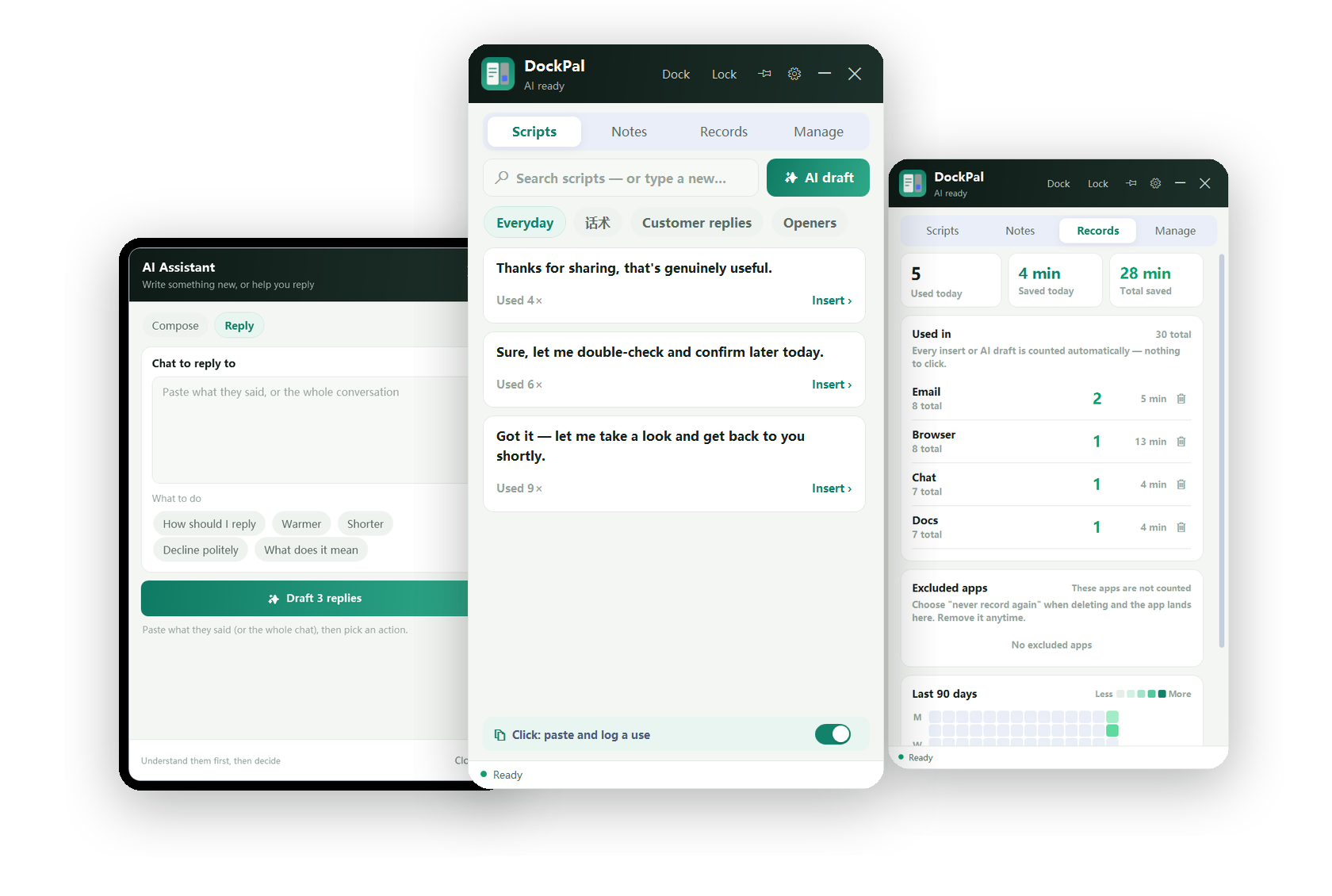
Scripts, AI drafts and your stats — one slim panel next to any app.
Three steps, that's the whole product
Unzip the folder and double-click ReplyTray.exe — that's it.
Dock it
Open any app with a text box and click "Dock" in the title bar. The panel attaches to that window and follows it around.
Click a line
Your saved replies are right there. Search, or just click. Nothing matches? Type the new line, press Enter — it goes out and is saved.
It's pasted
The text lands in the box you were typing in — 0.3 seconds, and the counter quietly logs the time you saved.
Eight things it does for you
Docks next to any app
Detects what you're using and follows that window. Move it, it moves too.
One click, it's sent
Copy plus auto-paste into the box you were typing in. No window switching.
Works with any app
Browsers, chat apps, email, CRMs — if you can paste into it, ReplyTray can fill it.
AI writes in your voice
It reads the lines you already saved, then drafts new ones that sound like you.
No scripted feeling
Pin the good ones, delete the ones that don't land, keep categories per topic.
Stays out of the way
Auto-docks, remembers its position, and can lock to one window so it never jumps.
It counts the time you save
+40s per paste, +100s per AI draft. A daily and 90-day view, by app.
Local first, private by default
Scripts, notes and stats live in a local database you can move anywhere.
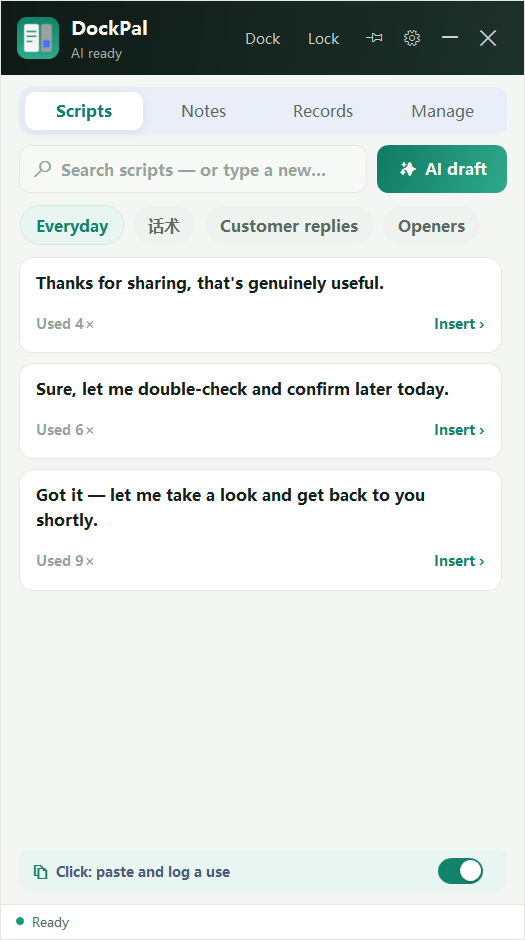
Your saved lines, one click away
Every line you save lives in a searchable list, sorted into categories you name yourself. Start typing in the search box: if something matches, press Enter and the first hit is pasted into your app. If nothing matches, press Enter and what you typed goes out — and gets saved to the category for next time. You never have to open a "manage" screen just to add a line.
- Search-to-send, no extra clicks
- Categories per topic, per client, per platform
- Pin favourites, delete what doesn't work
- Usage count on every line
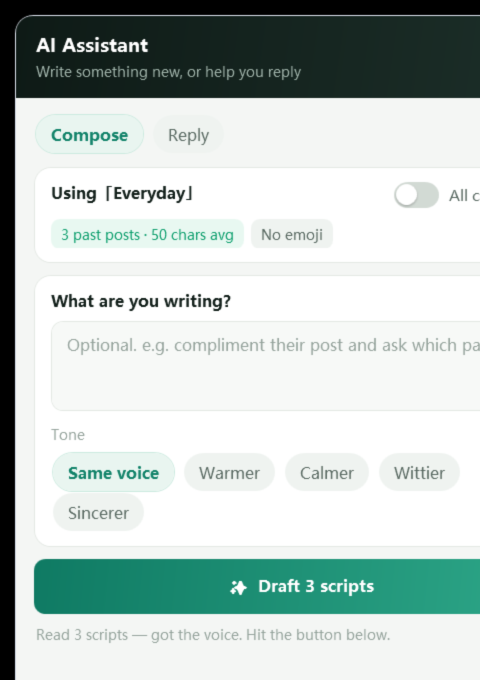
AI writes in your voice, not a template
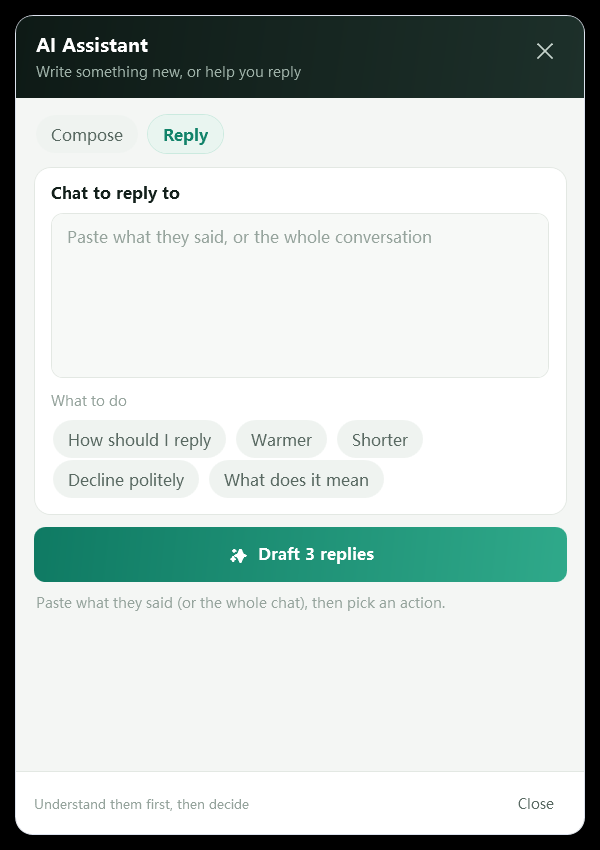
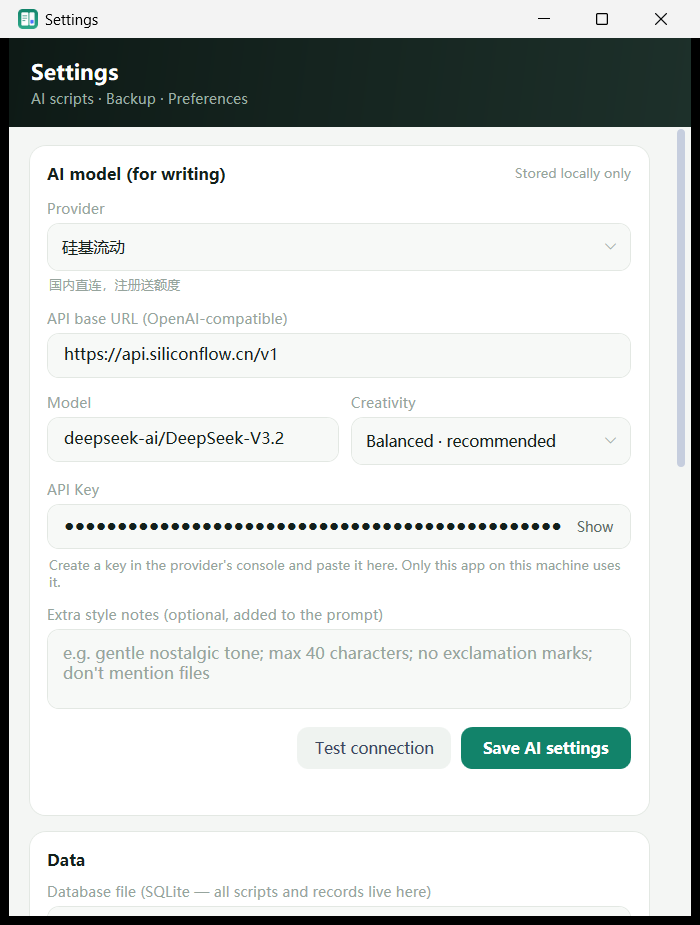
ReplyTray feeds your saved lines to the model first, so the drafts match your rhythm and vocabulary. Pick a tone — same voice, warmer, calmer, wittier — add an optional note about the situation, and get three drafts you can send as-is.
- Bring your own API key: DeepSeek, OpenAI, SiliconFlow, Zhipu, or a local Ollama
- Two modes: compose something new, or reply to a conversation you paste in
- It mimics your saved lines instead of writing generic marketing copy
It counts the time you save
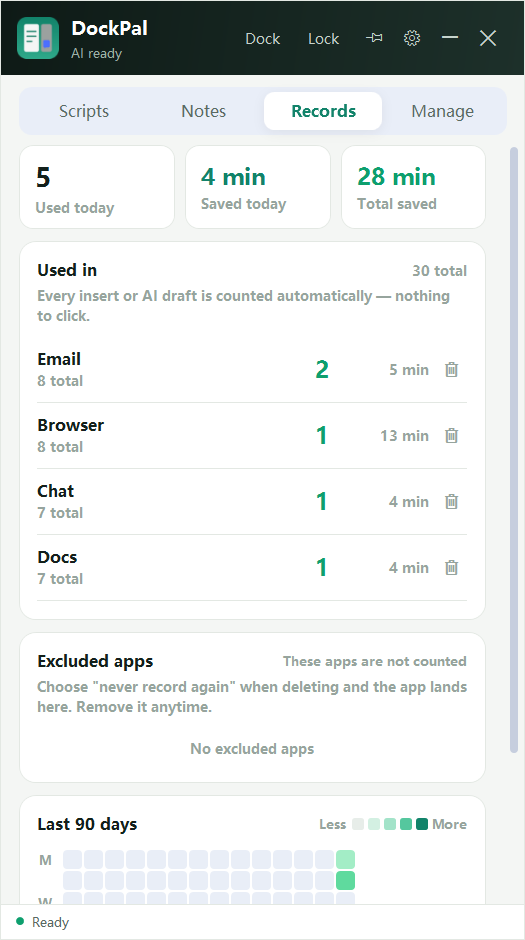
Every paste and every AI draft is counted automatically — 40 seconds and 100 seconds respectively. You get today's total, the all-time total, a per-app breakdown, and a 90-day heatmap. Apps you don't want tracked can be excluded with one click, or you can turn recording off entirely.
- Today / all-time time saved
- Which apps you actually use it in
- Exclude apps you don't want counted
- 90-day activity heatmap
Notes that stay with the app
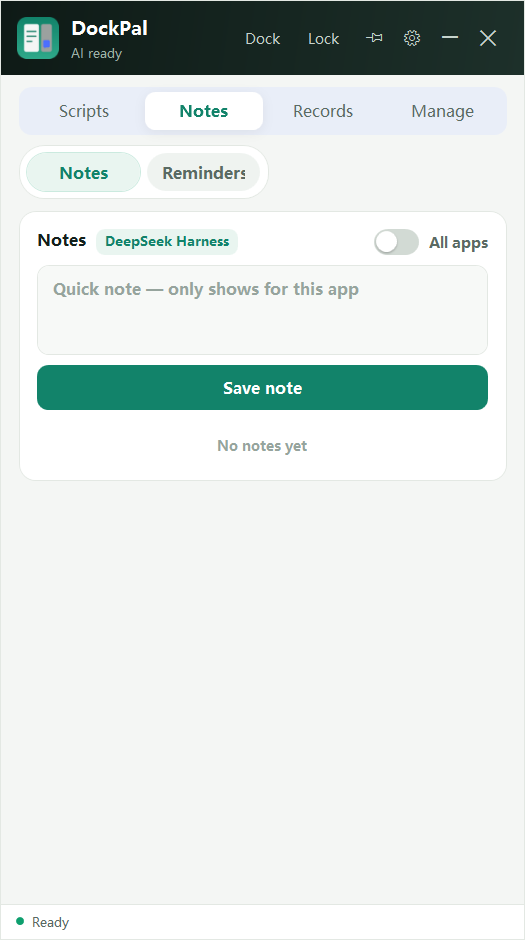
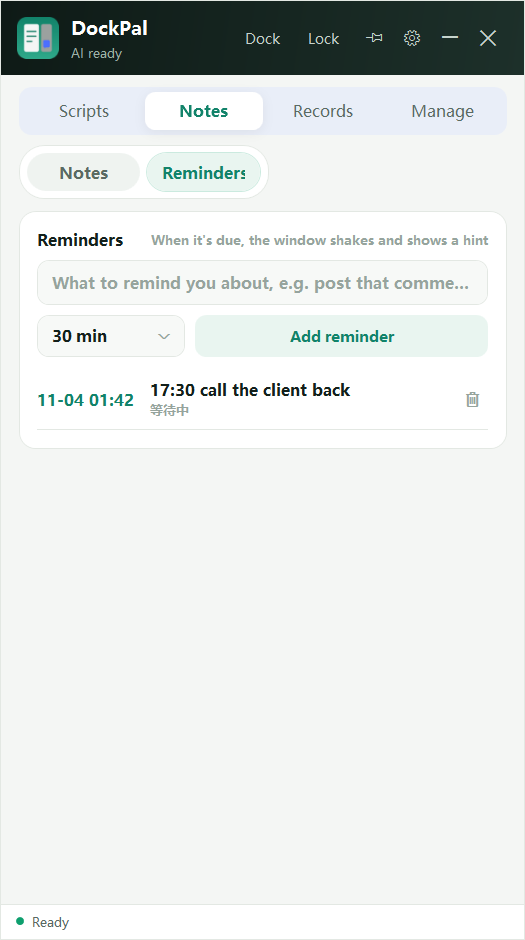
Jot a note without switching apps — notes are scoped to the app you're in, so your "reply ideas for this client" don't clutter anything else. Long notes collapse to two lines; click anywhere on the card to expand. Set a reminder and the window shakes and shows it when it's due.
- Notes per app, not one giant pile
- Two-line preview, click to expand
- Reminders from 1 minute to 3 hours
- Shake + toast when a reminder fires
A panel that follows you
A side panel should disappear into your workflow. Adjust window opacity from 60% to 100%, dock it, lock it to one window, or leave it floating. The whole interface switches between English and Chinese instantly — no restart. Bring your own AI provider, or run it fully offline.
- Opacity slider
- Dock / lock / always-on-top
- English ⇄ 中文, instant switch
- Starts with Windows if you want it to
Private by default. Local by design.
Your scripts, notes and stats live in a local database you can move anywhere. Your API key never leaves your machine except to the AI provider you chose.
People who type the same things all day
Social & video comments
Keep your best replies on hand and drop them in one click, from YouTube to TikTok to Reddit.
Customer support
Answer the same five questions all day? Save the answers, send them in a second.
Sales & DMs
Follow-ups, intros, price replies — ready before you need them.
Writing anywhere
Long forms, email drafts, ticket systems. If it has a text box, ReplyTray can fill it.
Questions people actually ask
Does it work with apps other than browsers?
Yes. Anything with a text box — chat apps, email clients, CRMs, ticket systems.
Do I need my own AI key?
Only for AI features. The script library works without any AI.
Which AI providers are supported?
Anything OpenAI-compatible: DeepSeek, OpenAI, SiliconFlow, Zhipu, or a local Ollama.
Where is my data stored?
In a local SQLite database on your machine. You can move it to any folder, including an external drive.
Does it work offline?
Yes. Scripts, notes and stats are all local. Only AI drafting needs the internet, to reach the provider whose key you entered.
Do I need to install anything?
No. Unzip the file and double-click ReplyTray.exe. No installer and no admin rights.
Does it phone home?
Only when you use an AI feature (to the provider whose key you entered). Scripts, notes and stats never leave your machine.
Is there a subscription?
No. One-time payment, lifetime license for that version.
One-time payment. That's it.
You get the download link by email right after checkout. Cards and PayPal both work.
Runs on Windows 10 and 11. Your scripts, notes and stats stay on your machine.
A side panel that finishes your sentences — docked next to any app, with AI that sounds like you.