Best Text Expander for Windows (and When to Stop Using One)
4pm. You are answering the twenty-third message of the day, and the only thing that changed since the ninth is the name at the top.
You have written this reply before. You wrote it yesterday, and the day before. A recent piece on text expansion in XDA put the threshold well: anything you type more than three times in a week should be typed for you. Most people answering messages for a living are far past that threshold, and still typing.
This page compares the tools that actually solve it on Windows, including where each one breaks — and the point at which a keyboard-trigger tool stops being the right answer at all.
What you'll learn
- What a text expander actually does
- Five options compared in one table
- Each option, including where it falls short
- How to pick in five minutes
- FAQ
What a text expander actually does
A text expander watches what you type and replaces a short trigger with a longer piece of saved text. You type ;ty, press space, and a paragraph appears. It runs at the keyboard level, so it works in almost any app: browsers, chat clients, editors, terminals.
The mechanism is the strength and the limitation. Because it triggers on a code, you have to remember the code. That works brilliantly for fifteen snippets. It stops working around fifty, which is roughly the size of a library for anyone who answers people for a living.
Five options compared
| Option | Best for | Cost | Main limitation |
|---|---|---|---|
| Espanso | Developers, small libraries, cross-platform | Free | Config file, no visual library |
| Beeftext | Windows users who want simple and free | Free | Windows only, no search |
| PhraseExpress | Whichever Windows team needs macros | ~$50 one-time | Dated interface, steep config |
| AutoHotkey | People who already script Windows | Free | You are maintaining code |
| ReplyTray | Fifty-plus replies you adapt per person | $19.90 one-time | Takes screen space |
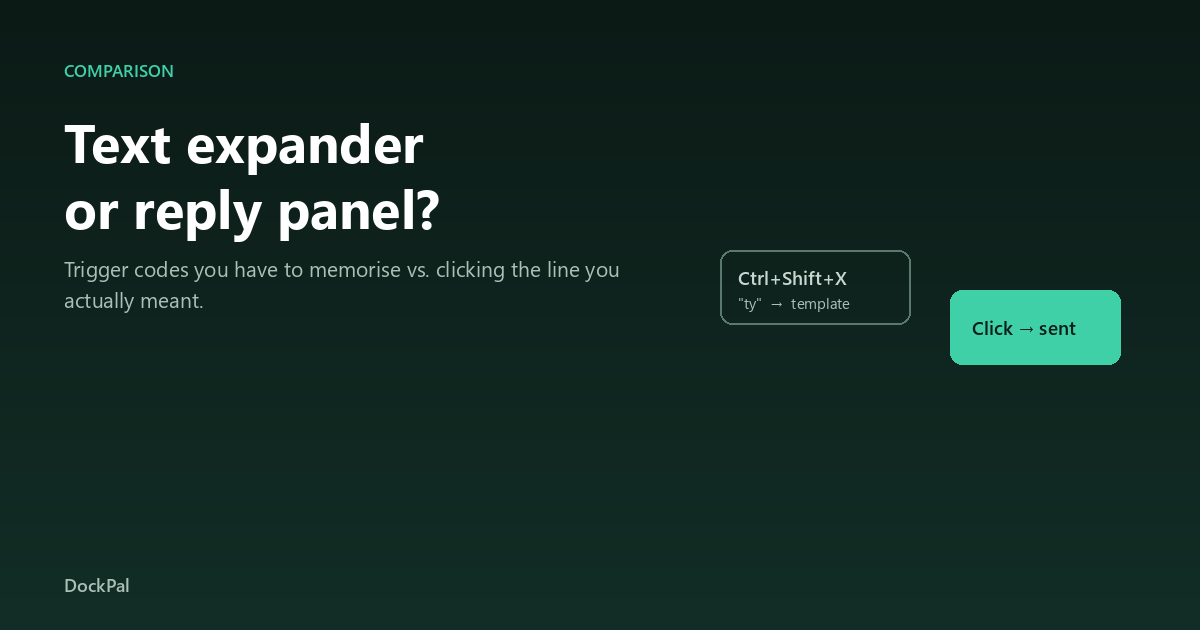
The first four expand on a code. The fifth inverts it: you click the line you meant. That difference is the whole decision.
Each option, and where it falls short
Espanso — the default for technical users
Best free option, and the one most people should try first. Cross-platform, open source, YAML config, dynamic snippets for dates and shell output.
Where it falls short: adding a snippet means editing a text file. There is no screen showing your library, so finding an old one means remembering its trigger.
Bottom line: unbeatable under thirty snippets if you are comfortable in a text file.
Beeftext — the simplest free Windows tool
A small open-source expander with a clean GUI. Snippets, variables, dates, CSV import, no install required.
Where it falls short: Windows only, no search, and the project moves slowly.
Bottom line: the least intimidating free option if your library is small and stable.
PhraseExpress — the enterprise one
Mature and deep. Macros, clipboard history, form-style snippets, conditional logic, team sharing.
Where it falls short: the interface feels a decade old, and configuration depth is its own learning project.
Bottom line: right for teams that need conditional logic, wrong for one person answering DMs.
AutoHotkey — the scripting route
Does text expansion and a dozen other things. Define a hotstring, and it fires anywhere.
Where it falls short: you are writing and maintaining code, and v1 vs v2 syntax breaks half the examples you will find.
Bottom line: the pick only if you already use AHK for something else.
ReplyTray — the panel approach
Not an expander: a panel. It docks beside whatever Windows app you are in, lists your saved lines as readable text, and pastes the one you click into the box you were typing in. There is a search box that doubles as input, so an unmatched line gets sent and saved.
Where it falls short: it occupies the right edge of your screen, and it is the only paid option here. It also cannot help you in a full-screen game or an app that blocks pasting.
Bottom line: the right shape once your library passes forty lines and the codes stop being memory.
How to pick in five minutes
- Under 15 snippets, technical → Espanso.
- Under 15 snippets, not technical → Beeftext.
- Need macros, conditional logic, or a team library → PhraseExpress.
- Already script Windows → AutoHotkey.
- 50+ replies you adapt per person, across several apps → a panel. Codes do not scale past a few dozen; clicking does.
One test settles it faster than any review: can you send a saved line without leaving the conversation you are in? If not, you will stop using the tool within a month, whatever it costs.
FAQ
What is the best free text expander for Windows?
Espanso, if you are comfortable editing a config file; Beeftext if you want a GUI. Both are genuinely free with no snippet caps.
Is TextExpander available on Windows?
Yes, but it is priced as a team subscription and is Mac-first. On Windows alone, the four free or one-time options above cover the same ground for a single user.
Why do I stop using my text expander after a month?
Almost always because the library outgrew your memory of the triggers. Past roughly forty snippets, people start typing by hand instead of recalling the code.
Can a text expander work in a browser?
Yes, because it hooks the keyboard rather than an app. It works in Gmail, Slack, Discord and web comment boxes the same way it works in Word.
What is the difference between a text expander and a clipboard manager?
A clipboard manager records what you copied and lets you paste it again. An expander inserts saved text on a typed trigger. Neither keeps a curated, searchable library of replies — that is a different tool.
Do I need to pay for text expansion?
For personal use under fifty snippets, no. The paid options earn their price through team sharing, macros, or — in the panel case — a different interface entirely.
Will a text expander work on Windows 11?
All four tools above work on Windows 11. Windows itself offers clipboard history (Win+V) and Word autocorrect, but neither is a snippet manager.
How many snippets do I actually need?
Audit a week of your sent messages and count the sentences you sent more than twice. Fifteen to thirty is typical for light use, fifty to a hundred for support or community work.
The short version
If your repeated text is boilerplate — addresses, signatures, code — pick Espanso or Beeftext and stop reading. If your repeated text is conversation — twenty answers adapted per person, in five different apps — a trigger code is the wrong interface, and the honest answer is a panel. The longer comparison of those two shapes is here.